> ## Documentation Index
> Fetch the complete documentation index at: https://developers.getswipe.in/llms.txt
> Use this file to discover all available pages before exploring further.
# Customers
> Manage customer records, keep your IDs mapped to Swipe, and pull payment ledgers.
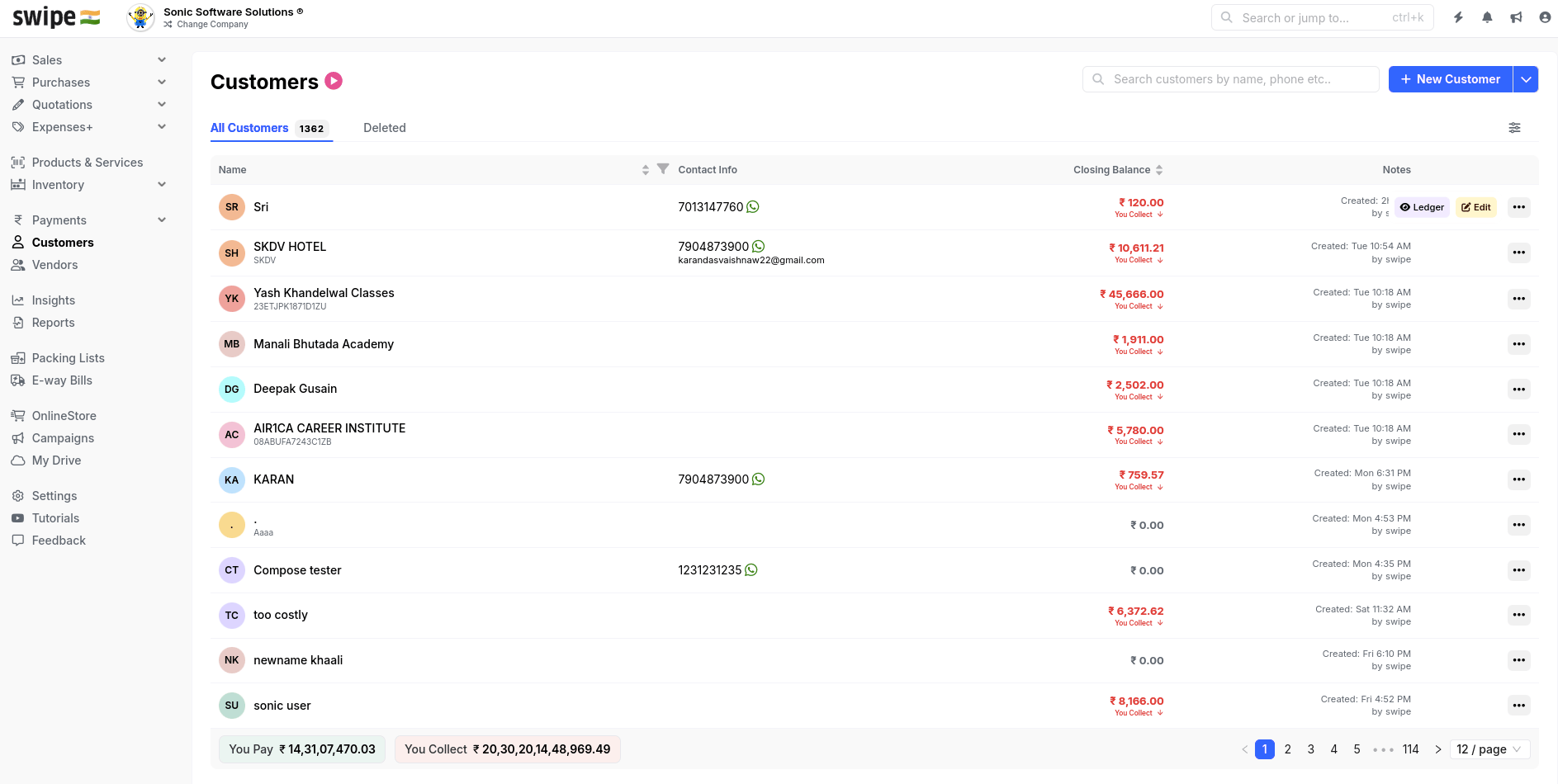
Customers are the parties you sell to. They appear as the `party` (type `customer`) on invoices, estimates, sales returns, and other sales-side [documents](/document), and every customer carries a running balance you can read as a ledger.
## Your IDs, mapped to Swipe
Every customer API call uses **your** `customer_id` — the ID from your own system. Swipe keeps a mapping between your IDs and its records:
* **New ID** → the customer is created automatically from the details you send. This also happens inline when you [create a document](/api-reference/document-v2/create-a-document) with an unknown `party.id` — you rarely need to pre-create customers.
* **Existing ID** → the record is reused. If the details you send differ, the customer is updated, and existing documents linked to them reflect the change.
* **Changed your IDs?** [Update customer mapping](/api-reference/customer-v2/update-customer-mapping) re-links your new IDs to the existing Swipe records in bulk, so you don't end up with duplicates after a migration.
## Add a customer
```bash theme={null}
curl --request POST \
--url https://app.getswipe.in/api/partner/v2/customer \
--header "Authorization: Bearer YOUR_API_KEY" \
--header "Content-Type: application/json" \
--data '{
"id": "CUST001",
"name": "Test Customer",
"phone_number": "1234567890",
"email": "customer@example.com",
"gstin": "27AARCS7202C1ZD"
}'
```
Include `gstin` for registered businesses — it drives GST treatment on their invoices. Billing and shipping addresses use the state and country values listed in [Currencies, States & Countries](/api-reference/reference-data).
## The payment ledger
[Get payment ledger](/api-reference/customer-v2/get-payment-ledger) returns a customer's transaction history — invoices, payments, and the resulting balance — over a date range. It's the API equivalent of the customer ledger in the dashboard.
 ## Endpoints
Create a customer with your own ID.
Fetch one customer by your `customer_id`.
Change a customer's details.
Remove a customer record.
Transaction history and balance for one customer.
Page through all customers.
Re-link your IDs to Swipe records in bulk.
Buying from someone instead? See [Vendors](/vendor) — the purchase-side mirror of this API.
## Endpoints
Create a customer with your own ID.
Fetch one customer by your `customer_id`.
Change a customer's details.
Remove a customer record.
Transaction history and balance for one customer.
Page through all customers.
Re-link your IDs to Swipe records in bulk.
Buying from someone instead? See [Vendors](/vendor) — the purchase-side mirror of this API.