> ## Documentation Index
> Fetch the complete documentation index at: https://developers.getswipe.in/llms.txt
> Use this file to discover all available pages before exploring further.
# Documents
> Create, edit, cancel, list, and download the business documents at the core of the Swipe API.
Documents are the core resource of the Swipe API. An invoice, a purchase, an estimate, a sales return — they're all documents, created through one endpoint and addressed by one identifier.
## The document model
Every document is created with [`POST /v2/doc`](/api-reference/document-v2/create-a-document). The `document_type` field decides what you're creating:
| `document_type` | Use for |
| ------------------- | --------------------------------------------------------- |
| `invoice` | A standard GST sales invoice |
| `purchase` | A purchase recorded against a vendor |
| `estimate` | A quotation for a customer |
| `pro_forma_invoice` | A pro forma invoice sent before the real one |
| `sales_return` | Goods returned by a customer (credit note) |
| `purchase_return` | Goods returned to a vendor (debit note) |
| `delivery_challan` | Goods movement without a sale |
| `subscription` | A recurring invoice — see [Subscriptions](/subscriptions) |
Sales-side documents take a `party` of type `customer`; purchase-side documents (`purchase`, `purchase_return`) take a `party` of type `vendor`.
## The document lifecycle
```mermaid theme={null}
flowchart LR
A["Create
POST /v2/doc"] --> B["hash_id"]
B --> C["Get / PDF"]
B --> D["Edit
PUT /v2/doc/{hash_id}"]
B --> E["Cancel
DELETE /v2/doc/{hash_id}"]
B --> F["Record payment
POST /v2/payment"]
```
The `hash_id` returned on creation is the document's address for everything that follows — fetching it, editing it, cancelling it, downloading its PDF, generating an [e-way bill](/ewaybills) for it, or settling it with a [payment](/payment).
```json theme={null}
{
"success": true,
"message": "Document created successfully",
"data": {
"hash_id": "PUlgCNPb",
"serial_number": "INV-1"
}
}
```
For a complete first request, follow the [Quickstart](/quickstart) — it creates an invoice and downloads its PDF in two calls.
## Things to know before you build
**Customers and products are auto-created.** The `party` and `items` in your
payload carry your own IDs. If an ID is new, Swipe creates the record from
the details you send; if it exists, the record is reused. See [API
conventions](/api-conventions#ids-yours-and-swipes).
* **Party updates propagate.** If you send changed details for an existing party ID, the party is updated — and existing documents linked to that party reflect the change.
* **Item details in a document don't update the catalog.** Sending different details for an existing item ID applies them to that document only; use [Update an item](/api-reference/product-v2/update-an-item) to change the master record.
* **Serial numbers must be unique.** Send your own `serial_number` (or `serial_number_v2`) and a retried create fails safely with `DUPLICATE_DOC_SERIAL_NUMBER` instead of duplicating the document.
* **Edits replace the document.** [Edit a document](/api-reference/document-v2/edit-a-document) expects the full payload with every field's updated value, not a partial diff.
* **E-invoices ride on creation.** Pass `einvoice: true` when creating to also generate a GST e-invoice with IRN and QR code — see [E-Invoices](/einvoices).
## Documents in the dashboard
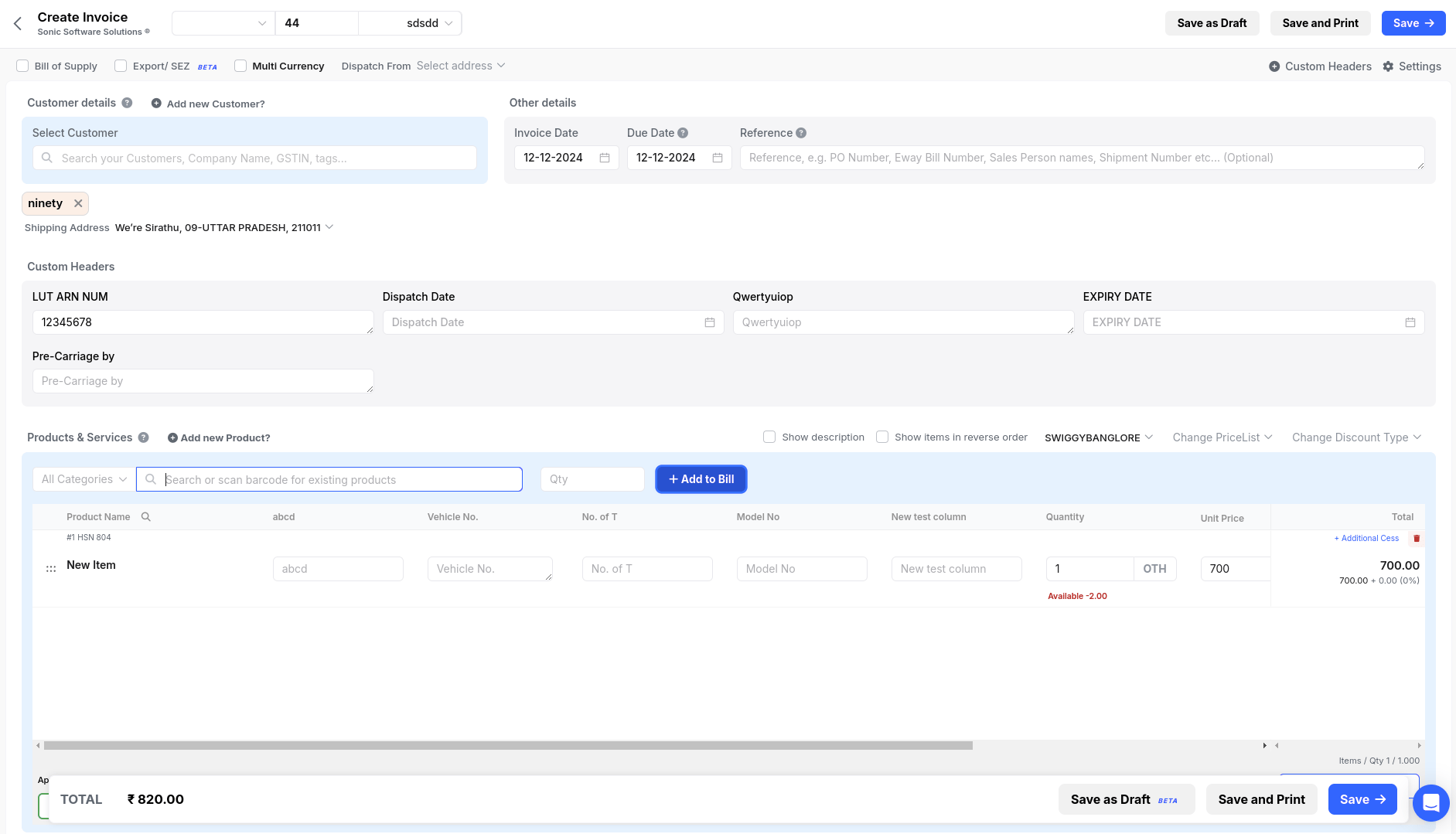
Everything the API creates appears in the [Swipe dashboard](https://app.getswipe.in/list/sales) alongside documents made in the app — the invoice creation screen below works on the same data.
 ## Endpoints
The full payload — items, taxes, discounts, charges, export details.
Fetch a document's details by `hash_id`.
Download the rendered PDF.
Replace a document's contents by `hash_id`.
Cancel an active document.
List documents by type, date range, and payment status.
## Endpoints
The full payload — items, taxes, discounts, charges, export details.
Fetch a document's details by `hash_id`.
Download the rendered PDF.
Replace a document's contents by `hash_id`.
Cancel an active document.
List documents by type, date range, and payment status.