> ## Documentation Index
> Fetch the complete documentation index at: https://developers.getswipe.in/llms.txt
> Use this file to discover all available pages before exploring further.
# E-Way Bills
> Generate GST e-way bills for your documents and download their PDFs.
An e-way bill is the GST transport document required for moving goods. In the Swipe API, an e-way bill is generated **for an existing document** — create the invoice first, then request its e-way bill with the transport details.
## Before you start
E-way bill APIs need the **E-Invoices & EwayBills plan** on your account.
Mail [api@getswipe.in](mailto:api@getswipe.in) for a trial and integration support.
Open [E-way bills in your dashboard](https://app.getswipe.in/ewaybills) and click
**Connect to E-way Bill Portal**.
By default the API points to the **Government sandbox portal** — generated
bills aren't legally valid until you switch. Mail
[api@getswipe.in](mailto:api@getswipe.in) to connect to the production portal.
## Generate an e-way bill
Call [`POST /v2/ewaybill/{doc_hash_id}`](/api-reference/ewaybill/create-eway-bill) with the document's `hash_id` (from [document creation](/api-reference/document-v2/create-a-document)) and the transport details. The required fields are `supply_type`, `sub_supply_type`, `transport_mode`, `transporter_doc_date`, and the `dispatch_from` / `dispatch_to` addresses; vehicle and transporter details complete the bill:
```bash theme={null}
curl --request POST \
--url https://app.getswipe.in/api/partner/v2/ewaybill/PUlgCNPb \
--header "Authorization: Bearer YOUR_API_KEY" \
--header "Content-Type: application/json" \
--data '{
"supply_type": "Outward",
"sub_supply_type": "Supply",
"transport_mode": "Road",
"vehicle_number": "KA01AB1234",
"transporter_doc_date": "26-08-2026",
"dispatch_from": { },
"dispatch_to": { }
}'
```
Errors from the government portal are passed through as `PORTAL_ERROR_{code}` — see [Error codes](/api-reference/error-codes) for how to look them up.
## Download the PDF
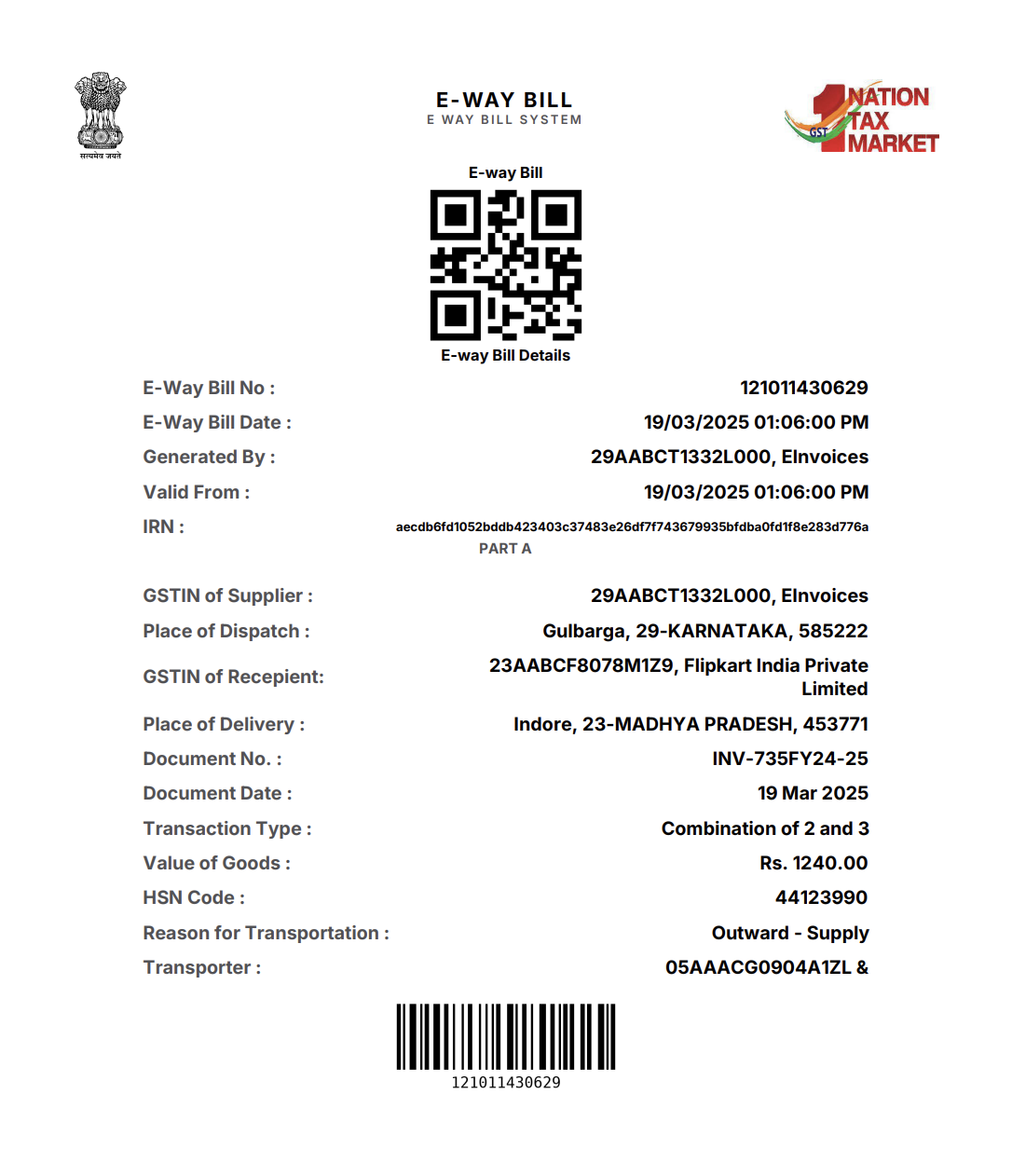
[`GET /v2/ewaybill/pdf/{doc_hash_id}`](/api-reference/ewaybill/get-ewaybill-pdf) returns the e-way bill PDF for the same `doc_hash_id`.
 ## Endpoints
Generate an e-way bill for a document.
Download the e-way bill PDF.
## Endpoints
Generate an e-way bill for a document.
Download the e-way bill PDF.