

party (type customer) on invoices, estimates, sales returns, and other sales-side documents, and every customer carries a running balance you can read as a ledger.
Your IDs, mapped to Swipe
Every customer API call uses yourcustomer_id — the ID from your own system. Swipe keeps a mapping between your IDs and its records:
- New ID → the customer is created automatically from the details you send. This also happens inline when you create a document with an unknown
party.id— you rarely need to pre-create customers. - Existing ID → the record is reused. If the details you send differ, the customer is updated, and existing documents linked to them reflect the change.
- Changed your IDs? Update customer mapping re-links your new IDs to the existing Swipe records in bulk, so you don’t end up with duplicates after a migration.
Add a customer
gstin for registered businesses — it drives GST treatment on their invoices. Billing and shipping addresses use the state and country values listed in Currencies, States & Countries.
The payment ledger
Get payment ledger returns a customer’s transaction history — invoices, payments, and the resulting balance — over a date range. It’s the API equivalent of the customer ledger in the dashboard.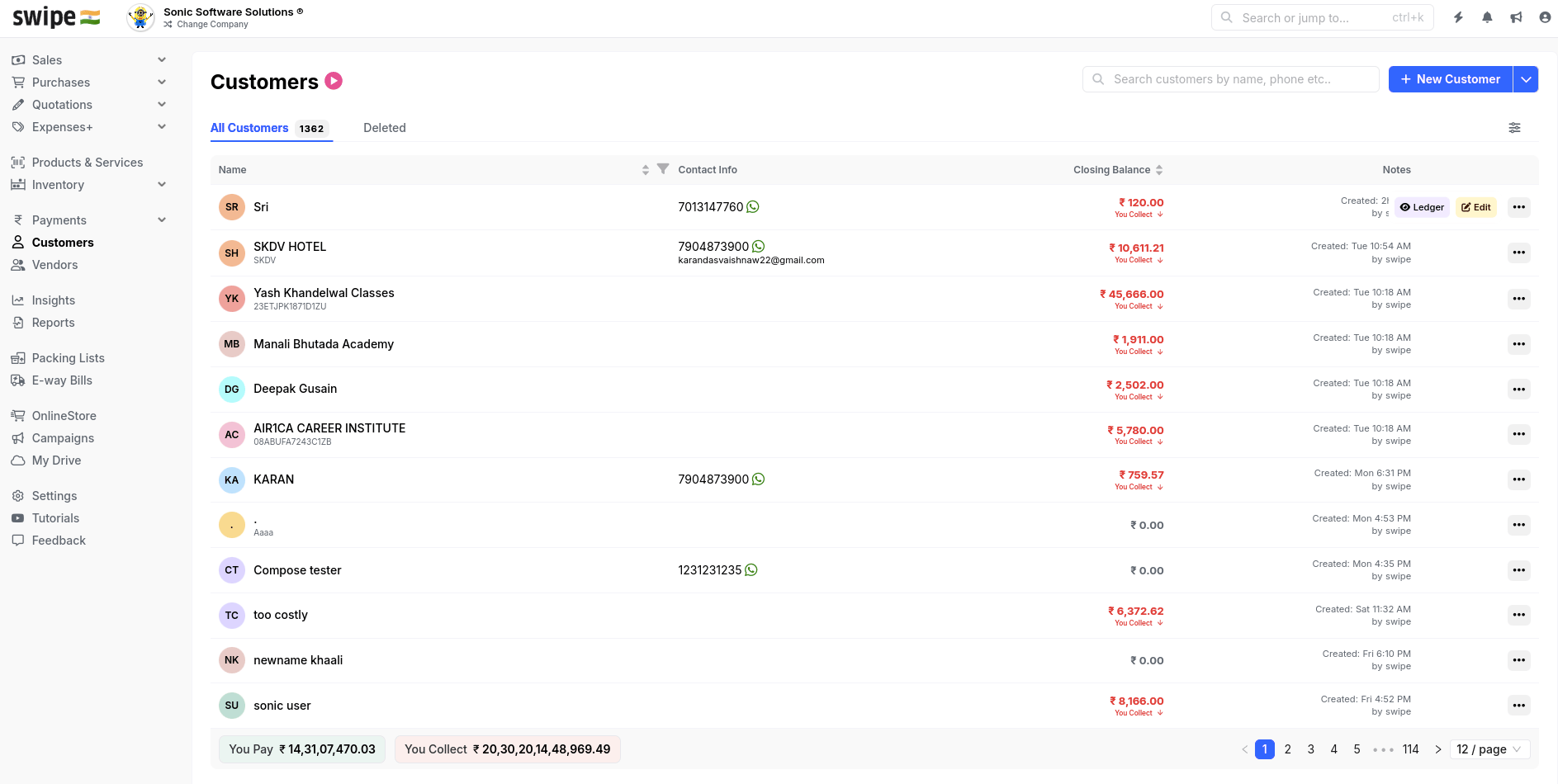
Customers in the Swipe dashboard, with balances and ledgers
Endpoints
Add a customer
Create a customer with your own ID.
Get customer details
Fetch one customer by your
customer_id.Update a customer
Change a customer’s details.
Delete a customer
Remove a customer record.
Get payment ledger
Transaction history and balance for one customer.
Get list of customers
Page through all customers.
Update customer mapping
Re-link your IDs to Swipe records in bulk.