

Create a subscription
There’s no separate create-subscription endpoint — a subscription is a document. Call Create a document withdocument_type: "subscription" and a subscription_details object describing the schedule:
repeat+repeat_type— the cadence: every1×monthsabove;repeat_typeis one ofdays,weeks,months,yearsstart_time/end_time— when the schedule runs,DD-MM-YYYYsend_email/send_sms/send_wtsp— deliver each generated invoice to the customer automatically
Subscriptions must be enabled on your Swipe account — otherwise creation
fails with
SUBSCRIPTIONS_NOT_ENABLED. Enable them in the Swipe
dashboard.Track subscriptions and their invoices
List of subscriptions returns subscriptions over a date range, filterable bystatus and customer_id. Each entry’s hash ID feeds Get subscription details, which includes the invoices generated so far. The generated invoices are ordinary documents — fetch their PDFs and record payments against them as usual.
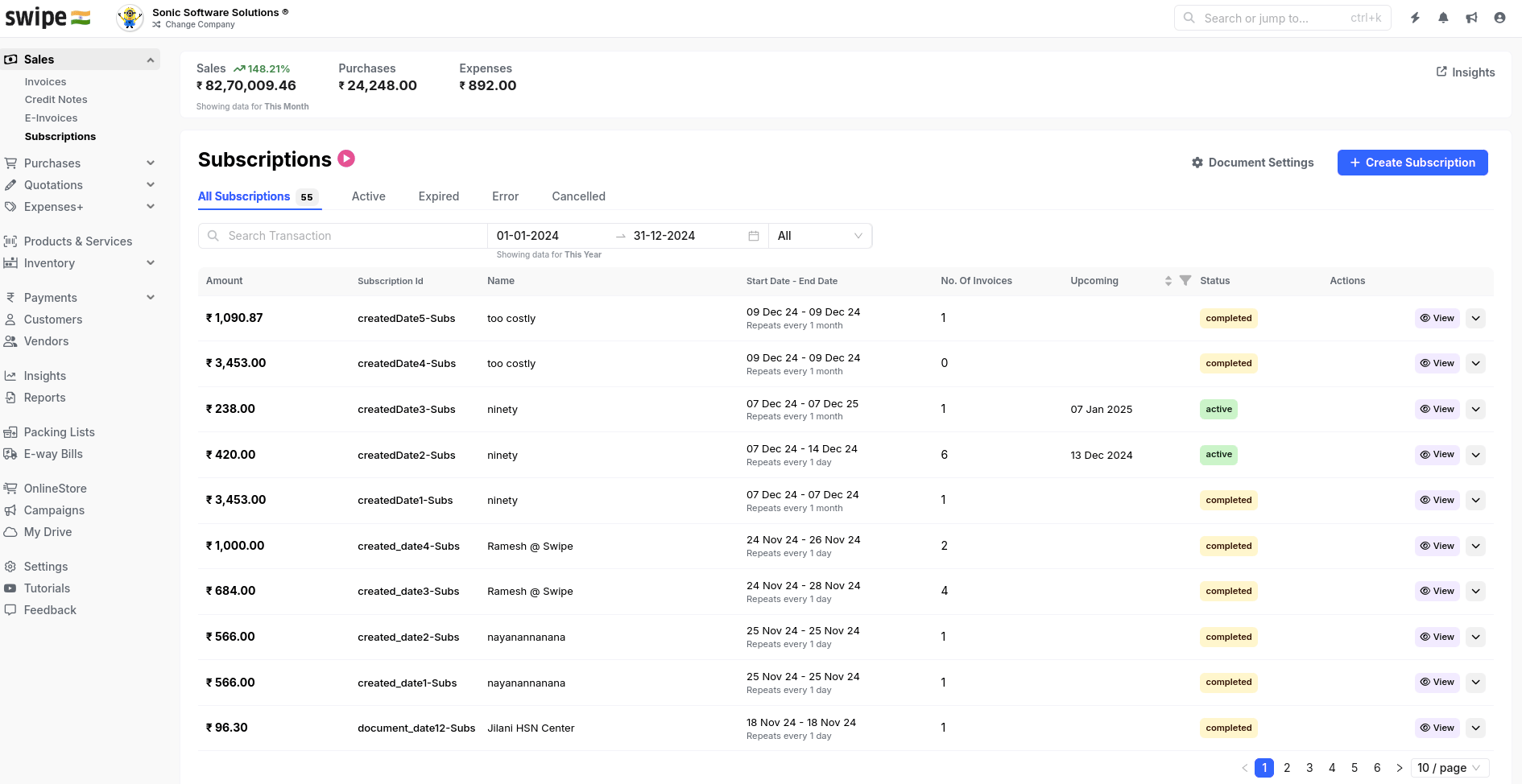
Subscriptions and their generated invoices in the Swipe dashboard
Endpoints
List of subscriptions
Filter by date range, status, and customer.
Get subscription details
One subscription with its generated invoices.