

The document model
Every document is created withPOST /v2/doc. The document_type field decides what you’re creating:
Sales-side documents take a
party of type customer; purchase-side documents (purchase, purchase_return) take a party of type vendor.
The document lifecycle
Thehash_id returned on creation is the document’s address for everything that follows — fetching it, editing it, cancelling it, downloading its PDF, generating an e-way bill for it, or settling it with a payment.
Things to know before you build
Customers and products are auto-created. The
party and items in your
payload carry your own IDs. If an ID is new, Swipe creates the record from
the details you send; if it exists, the record is reused. See API
conventions.- Party updates propagate. If you send changed details for an existing party ID, the party is updated — and existing documents linked to that party reflect the change.
- Item details in a document don’t update the catalog. Sending different details for an existing item ID applies them to that document only; use Update an item to change the master record.
- Serial numbers must be unique. Send your own
serial_number(orserial_number_v2) and a retried create fails safely withDUPLICATE_DOC_SERIAL_NUMBERinstead of duplicating the document. - Edits replace the document. Edit a document expects the full payload with every field’s updated value, not a partial diff.
- E-invoices ride on creation. Pass
einvoice: truewhen creating to also generate a GST e-invoice with IRN and QR code — see E-Invoices. with_taxpicks Invoice vs. Bill of Supply. Sendwith_tax: truefor a tax invoice orfalsefor a Bill of Supply (tax and item GST fields zeroed). Omit it and Swipe decides for you — from the item tax amounts on create, or by keeping the document’s current value on edit. Composition-scheme companies are always forced tofalse.
Documents in the dashboard
Everything the API creates appears in the Swipe dashboard alongside documents made in the app — the invoice creation screen below works on the same data.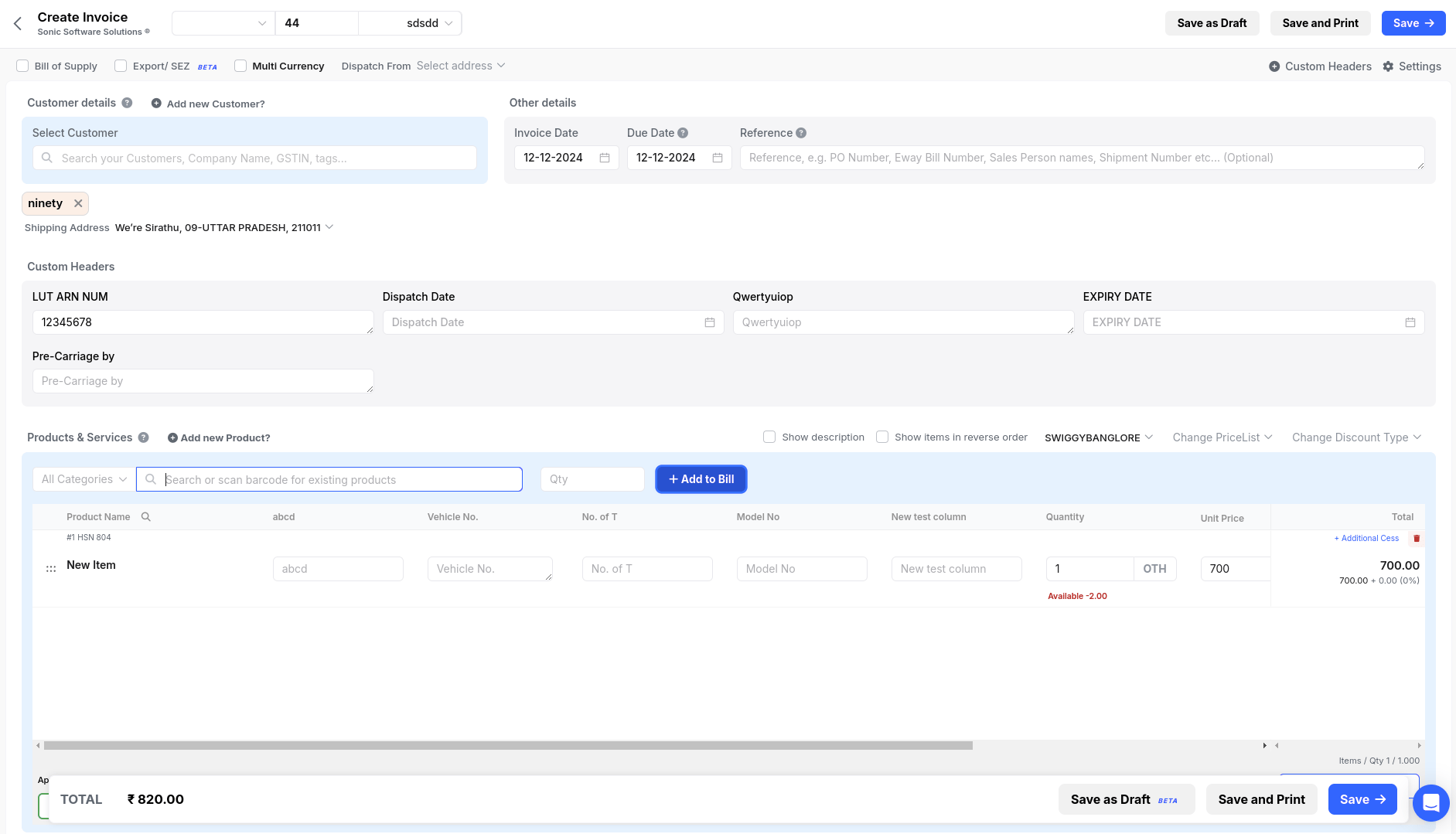
The same invoice, as it looks in the Swipe dashboard
Endpoints
Create a document
The full payload — items, taxes, discounts, charges, export details.
Get a document
Fetch a document’s details by
hash_id.Get document PDF
Download the rendered PDF.
Edit a document
Replace a document’s contents by
hash_id.Cancel a document
Cancel an active document.
List of documents
List documents by type, date range, and payment status.